ONSONG CHARTS AVAILABLE NOW! LEARN MORE HERE


Read The Bleepin’ Manual
Panic Plan
ZOMG, here's the tea: OnSong keeps your whole library right on your device. Which means? Zero internet = zero stress. Playing gigs in a sketchy dive bar, a mega venue with WiFi that hates you, or literally the jungle? OnSong's got your back, fam. No connection? No problem.
Why You Gotta Backup (AKA Don't Be That Guy)
Look, local storage is chef's kiss — until it's not. We've got horror stories for days: stolen iPads, lost devices, "oops I left it on the tour van roof" (RIP), kids deleting apps like little digital gremlins, factory resets gone wrong. Your OnSong library is basically your life. So here's the deal: back. it. up.
The Backup Glow-Up
Creating a backup in OnSong? Literally brainless. Step 1: Yeet your library to Dropbox so it's safe & sound in the cloud. Step 2: If catastrophe strikes & your device turns into a brick, boom — restore from Dropbox with an internet connection & your login deets. Head to Dropbox to get the full 411 on signing up & plugging it into OnSong.
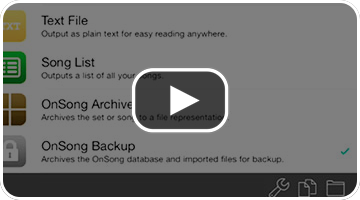
Now here's where the magic happens. Go grab the Yeet Menu from your Toolbar of Dreams in OnSong. Tap Send This Out. Check the box that says OnSong Backup (because duh). Tap that folder icon bottom right to unleash the Where's This Going? & pick Dropbox. Choose your backup destination. Then smash that Export button at the top & watch the magic happen.
What's Actually In There?
Your backup file vibes with a .backup extension & gets named with the timestamp: YYYYMMDDHHMMSS. So no two backups are the same (how unique, wow).
The backup file is literally a ZIP time capsule containing everything — your OnSong database (OnSong.sqlite3), all your imported stuff, music, images, help files, & a secret prefs file with every single setting you ever tweaked.
The Resurrection Protocol
Got your backup tucked away safe? Cool. Now let's bring it back from the dead.
Head to the Bangers Menu & hit the Every Last Banger tab. Tap the + button (bottom right) to enter the Load More Bangers zone. Pick Dropbox. Browse for your backup file & import it like you're adopting a digital puppy.
When you go to restore, you'll get a lil' warning that this is gonna completely nuke whatever you've got now. Sound good? Cool. Download incoming, restoration complete — your OnSong library is back to its glory days.
Note: Backup files are basically zip-squished versions of your whole OnSong folder. We can handle backups up to ~4 GB. (Your music collection is thicc.)
OnSong 1.999 — Last Refreshed March 28, 2015


